Unified Character Templates
A Unified Character Template is a Scriptable Object and is the most common method to create Unified Characters at runtime.
It acts as a reusable blueprint that defines:
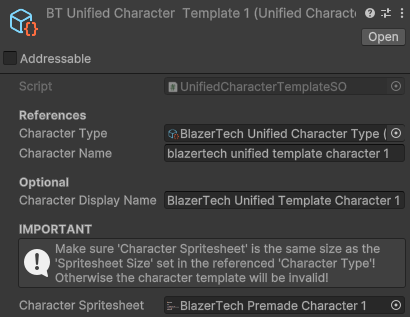
- The Character Type asset the character will use
- The default name assigned when a character is created
- The spritesheet used for rendering and animation
Workflow Overview
- Create a Unified Character Template asset
- Assign a Character Type
- Set the default name
- Assign a properly structured spritesheet
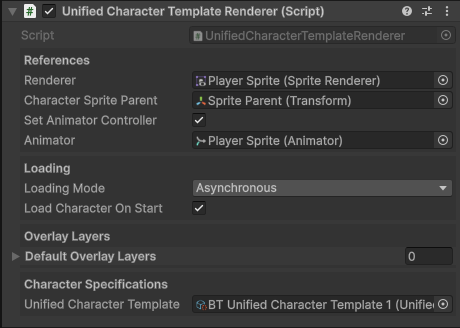
- Attach the template to a Unified Character Renderer component
The template can now be reused anywhere in your project to consistently create that character.
Setup
Create
To create a Unified Character Template right click the Project window and navigate to
Create > BlazerTech > Character Management System > Character Templates > Unified Character Template.
Character Type
Assign the Character Type asset that all characters created from this template will use.

This is used to determine:
- If the Character Spritesheet is valid
- The Animator Controller used to animate the character
Default Character Name
Set the default name assigned when a character is created from this template.
You may also optionally set a Display Name for use alongside created characters in-game.

Character Spritesheet
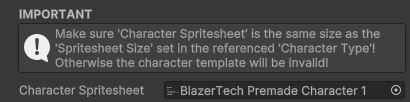
Assign a spritesheet that has the same size and layout as the Character Spritesheet in the attached Character Type.
Note
When the Character Spritesheet is assigned, the spritesheet is marked as Addressable automatically, allowing it to be loaded/unloaded during runtime.
Spritesheet Requirements
When a character is created from the template the spritesheet will replace the Base Spritesheet used in the Character Type, this means the spritesheet must contain the same animations and layout.
Read more about the Character Shader for more info.
The assigned spritesheet must:
- Be the same size as the Base Spritesheet in the Character Type
- Contain all the same animations and frames in the Base Spritesheet in the Character Type
- Have the
Sprite Modeset toSingle
Caution
If the assigned spritesheet is not the correct size it will be rejected at runtime.
Runtime Usage
Once the Character Template is setup it can be assigned in a Unified Character Template Renderer component which at runtime will create a character from the template and animate it using the Animator Controller assigned in the Character Type.