Character Display Name Field
The Character Display Name Field allows the player to give their character a display name. This name can later be used anywhere in your game, such as display it above the character's head.
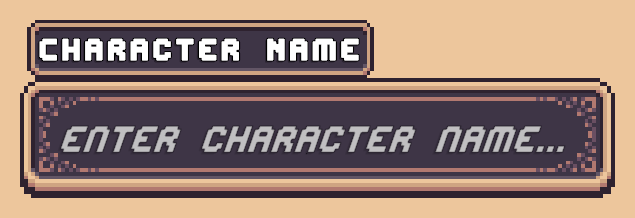
Prefabs
Location: Prefabs: Character Creator > Modules > Character Display Name Field
Two prefabs are included:
- Character Name Field - Contains the text field only.
- Character Name Field [+Title] - Contains the text field with a title displayed above it.
Add either of these prefabs as a child of the Character Creation Menu Contents.
Manual Setup
The Character Display Name Field uses a TextMeshPro Input Field to allow the player to enter a name.
To setup one up manually:
- Add a TMP Input Field to the Character Creation Menu Contents.
- Add the
CCM Display Name Input Field Handlercomponent to the same GameObject. - Assign the TMP Input Field to the handler's input field reference.
When the Character Creation Menu is opened, the input field will automatically be populated with the character's current display name, if one has been set.
When the character is saved, the value entered in the input field is saved as the character's display name.